TL;DR
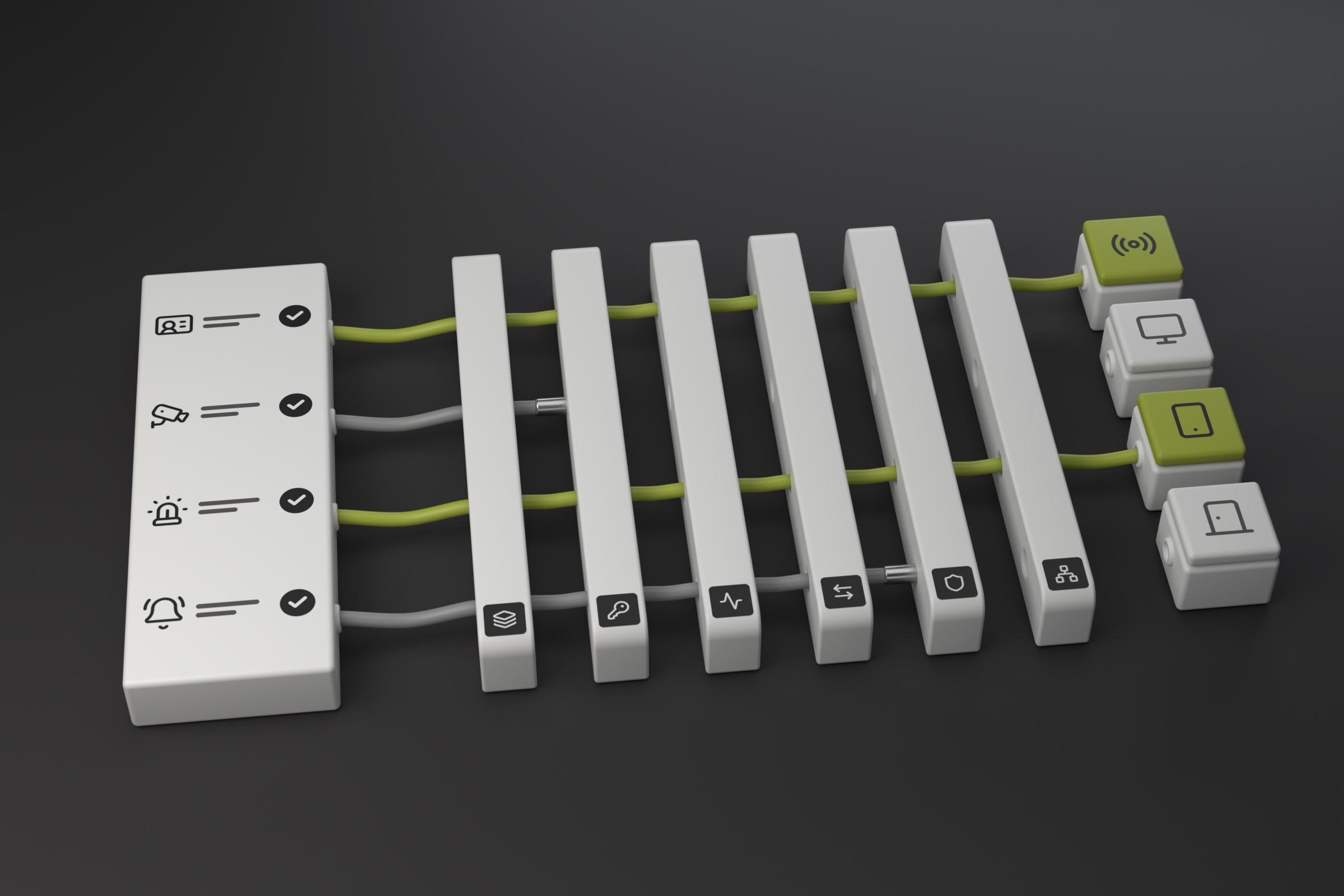
Integration lists identify potential connections. Workflow depth varies by vendor, connector, product version, licensing, permissions, and permitted actions. Some vendors expose more events and commands than others, while others restrict capabilities that may be technically possible. Teldio confirms compatibility by scoping the complete workflow, deployment architecture, governance requirements, and validation plan.
An integration list shows which vendors or product families a platform may connect with. It does not confirm workflow depth for every deployment. Connector capabilities vary by vendor. Some vendors expose more events and commands than others, while licensing, permissions, or vendor policies may restrict technically possible functions. Buyers should also verify product versions, available events and commands, architecture, connection requirements, and how the complete workflow will be tested.
Why buyers start with an integration list
An integration list is a logical first step when teams evaluate a physical security integration platform. It provides a quick view of product categories, vendor families, and named platforms. It can help a buyer decide whether a deeper technical conversation is worth having.
The purchasing decision, however, depends on a more specific question: can the proposed architecture support the exact workflow the operation needs? A vendor name alone cannot answer that question. Product version, licensing, enabled interfaces, authentication, deployment architecture, and the required events and commands all affect the answer.
What a public ecosystem overview can establish
Teldio’s overview of its integration ecosystem identifies system categories, protocols, and examples such as Avigilon Unity Video and Motorola MOTOTRBO. Teldio Fabric combines supported modules, an API-first design, and industry-standard protocols. This published information establishes breadth and gives buyers a practical starting point.
The overview does not certify every product release, license combination, event type, command, or architecture. Those details belong in project-specific technical scoping. The connected video, access-control, radio, or operational platform also remains the system of record for its own functions. Teldio Fabric coordinates approved data and actions across supported systems.
Integration depth determines what supported means
Integration depth varies by platform, connector, and use case. One connection may ingest a supported event and its device or location data. Another may also deliver a notification or issue an approved command. Vendor policies can also limit which actions a connector permits. The useful definition of “supported” is tied to a named workflow and confirmed scope.
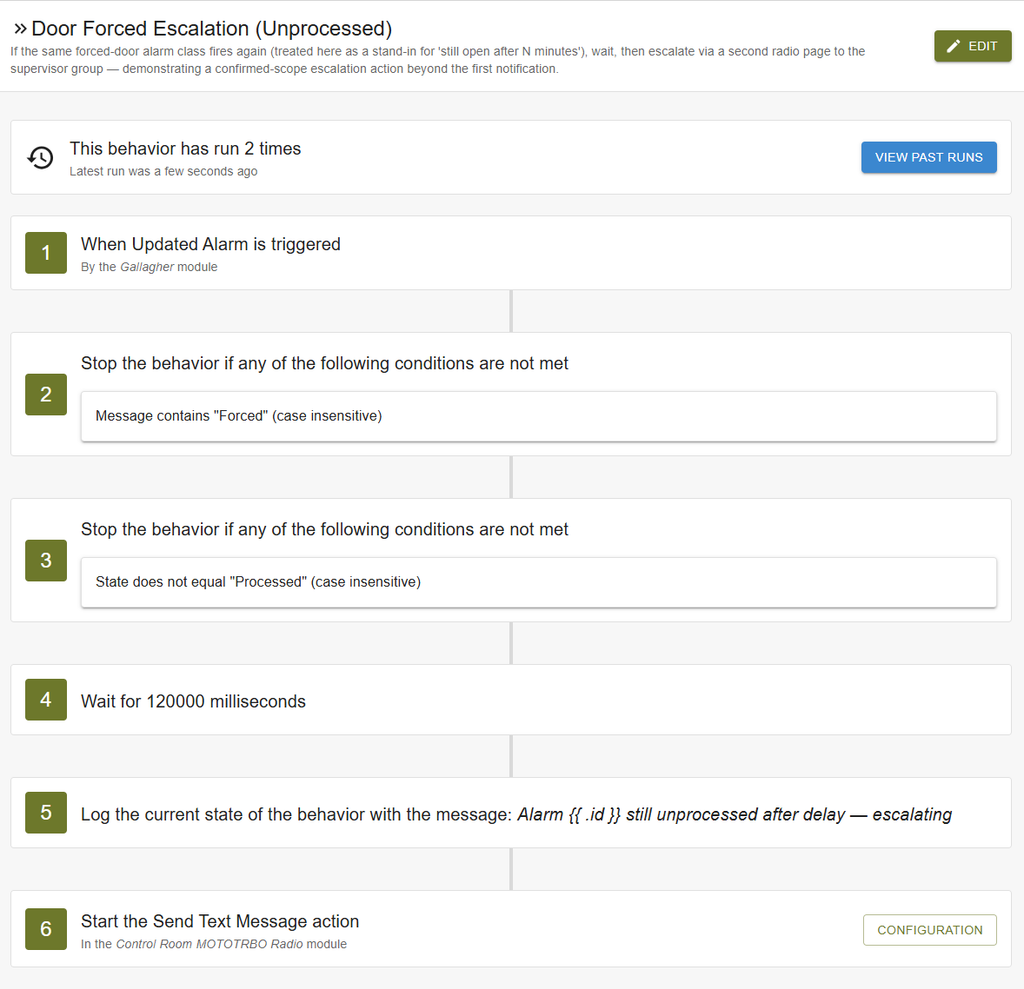
Consider an approved access-control event. Teldio Fabric can ingest the supported event, map the available device and location details to a consistent schema, and evaluate an organization-defined Behavior Engine rule. The configured workflow can then route a supported notification to the designated Motorola MOTOTRBO group or coordinate another approved action within the confirmed integration scope. The source platform continues to record and manage its event, while trained personnel follow the organization’s established procedure.
Four questions to ask during technical scoping
1. What starts the workflow? Name the source system, event, device, location data, and conditions that must be available.
2. What must cross the system boundary? Define the context, destination, notification, command, acknowledgment, and audit information required for the operational outcome.
3. What does the deployed environment allow? Confirm product versions, licensing, permissions, authentication, APIs, network design, and any hardware connection requirements.
4. How will the workflow be governed and tested? Identify the approving owner, failure behavior, test method, change-control process, and post-upgrade support responsibility.
Protocol support is a path to investigate
A standard protocol or an available API may provide a viable integration path, including for a system without a vendor-named module. Its presence still does not confirm that it exposes the required event data or commands. Technical scoping must verify the interface, data model, security requirements, and permitted actions before confirming compatibility.
Teldio Fabric supports confirmed software, API, protocol, and field-system connections within the approved deployment architecture. The final connection method depends on the available interfaces, permitted actions, field systems, network design, and validated integration scope.
How Teldio confirms a workflow
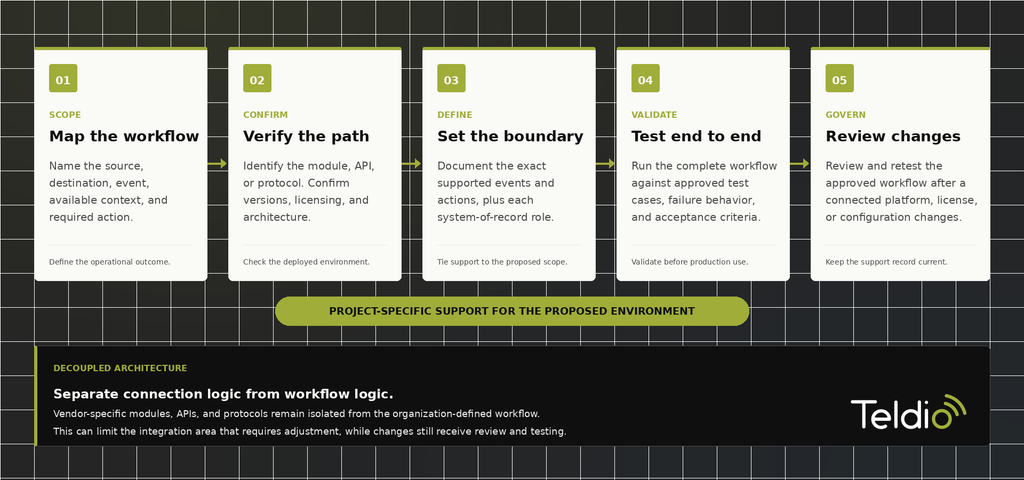
Teldio scopes the complete workflow across the source and destination systems. That process identifies the applicable module, API, or protocol; confirms versions and licensing; defines the required event and action; and establishes how the workflow, deployment architecture, and solution scale will be validated. The result is a bounded statement of support for the proposed environment and specified workflow.
Teldio Fabric uses a decoupled, module-based architecture that isolates vendor-specific connection logic from the organization-defined workflow. This structure limits what needs adjustment when a connected platform changes. Updates still require review and testing against the approved workflow before production use.
The Teldio angle
Use the published ecosystem to begin the conversation, then scope the workflow that matters to your operation. Talk to Teldio about mapping one event from source to response, including the systems of record, required context, supported actions, architecture, governance, and validation plan.
Frequently asked questions
Does Teldio publish integration information?
Yes. Teldio publishes an ecosystem overview with integration categories, protocols, and named examples. Project-specific scoping confirms whether a particular version and workflow are supported.
Does a listed vendor guarantee support for my product version?
No. Compatibility depends on the product version, licensing, enabled interfaces, authentication, architecture, and the event or command the workflow requires.
Does a supported protocol guarantee compatibility?
No. A protocol or API creates a potential connection path. Technical scoping must confirm that the required data and actions are available and permitted.
Can vendor policies limit a technically possible integration?
Yes. A connector may be technically capable of supporting an event or action that the vendor does not expose or permit. Technical scoping confirms the functions available for the approved product version, licensing, permissions, and deployment.
What should buyers provide for technical scoping?
Provide the source and destination systems, product versions, licensing, required events and actions, deployment architecture, security constraints, and the test criteria for the complete workflow.