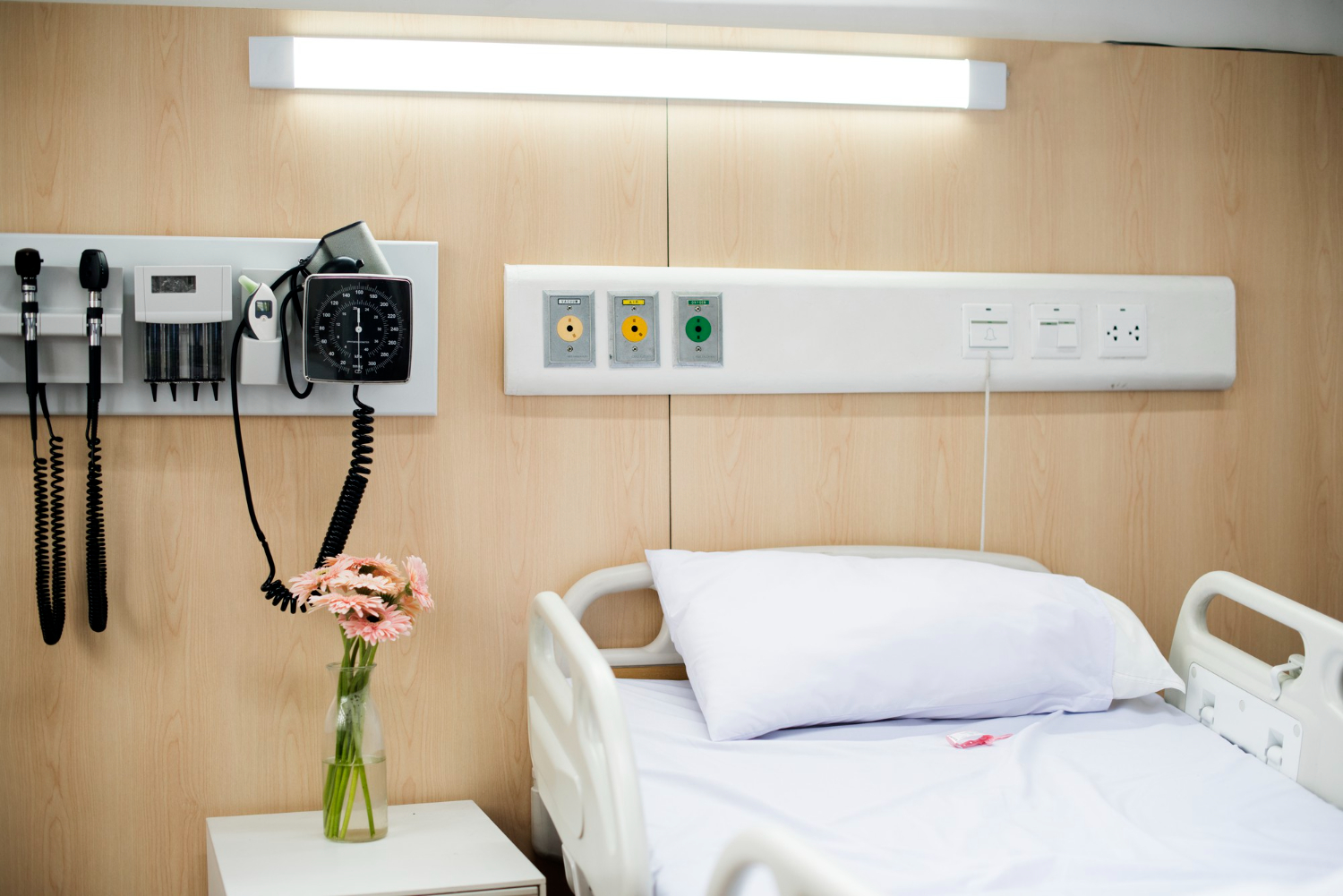
A panic or duress event occurs in a patient room, parking area, restricted zone, or outbuilding. The source system records the alarm quickly. But before security personnel can respond, an operator may still need to confirm the location, find the associated camera, check the affected door or zone, decide who to notify, and initiate the call-out.
Those manual steps take time during Code White, patient elopement, and other time-sensitive security events. For a Director of Hospital Safety & Security, this means reducing the manual work between alarm detection and an informed response. Connecting event data, location, video, and responder communication gives the security operations center a faster path from detection to coordinated action.
Where Response Latency Builds After Detection
Response delays increase when event information is fragmented across the alarm panel, nurse-call platform, access-control interface, video-management system, maps, and radio console. Operators move between screens, match device labels to rooms, search camera views, make phone calls, and repeat information over the radio, all before responding personnel receive enough context to act.
Every transfer creates another opportunity for delay or incomplete information. A connected workflow provides the three details security needs first: what happened, where it happened, and which team should respond.
Disconnected Systems Create the Coordination Gap
Hospitals depend on panic and duress systems, nurse-call platforms, access control, video management, radios, location tools, and established emergency procedures. Each platform performs and records its native function. Teldio Fabric connects event data to the approved actions required by the hospital’s response plan.
That connection removes repetitive operator work. Security receives the event location, associated video or zone context, designated response group, and approved notification path via a single coordinated workflow.
How Teldio Fabric Coordinates a Hospital Security Workflow
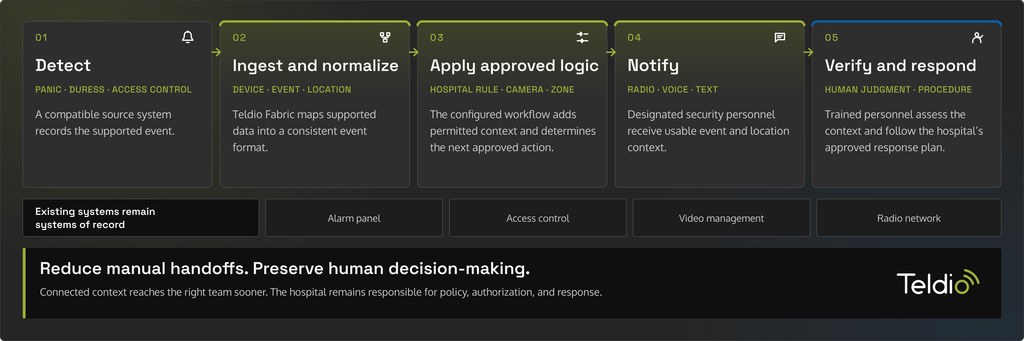
Teldio Fabric provides the integration and workflow layer across supported security, communications, and operational systems. Its modules ingest events, normalize vendor-specific data, apply hospital-defined rules in the Behavior Engine, and route actions to designated systems and teams. Teldio Fabric integrates directly with Avigilon Unity Video. Its published vendor-approved modules also include Honeywell Pro-Watch, Gallagher, and Avtec dispatch, while radio workflows deliver alerts through Motorola MOTOTRBO.
Consider a wired panic button activated in an outpatient building. Teldio Fabric receives the supported event, normalizes its configured device and location data, and applies the hospital’s Behavior Engine rule. Teldio Fabric associates the event with the corresponding Avigilon Unity camera and sends a text or text-to-speech alert to the designated MOTOTRBO security group. The workflow can also surface the event in an Avtec dispatch environment. Product versions, licensing, architecture, and the approved integration scope determine the exact actions available in each deployment.
The notification identifies the building, floor, and response zone. The associated camera provides the security operations center with immediate visual context, and the event record shows the trigger, actions launched, and the team notified. Dispatchers use that information to direct trained personnel in accordance with the hospital’s established procedure.
Adding Responder-Location Context Where Appropriate
Teldio TruFleet adds indoor and outdoor radio user locations to the workflow. Dispatchers can view authorized radio users near the event and select an appropriate responder based on hospital policy, assignment, and availability.
Teldio Fabric coordinates the event and communication workflow. TruFleet supplies responder-location context. Together, they give dispatchers a clearer operational picture while preserving established command and escalation procedures.
Build the Workflow Around Hospital Policy
Hospital safety, security, clinical, privacy, and IT leaders define which events enter Teldio Fabric, which roles receive notifications, what information may be included, when escalation occurs, and which actions require confirmation. They also validate shift coverage, downtime behavior, audit records, and after-action review requirements before deployment.
Each event receives a role-based workflow aligned with its operational purpose. Panic activations, patient-elopement alerts, access events, and other security call-outs can trigger distinct camera, radio, door, and escalation actions while trained personnel remain responsible for the response.
Connect One High-Value Response Workflow
Start with one workflow that still requires operators to switch between systems, such as a panic activation, a duress event, or a patient-elopement call-out. Map the event source, location data, camera, assigned radio group, escalation path, and required human decisions.
Talk to Teldio about connecting supported events, context, and communications through Teldio Fabric.